What file should you send for laser engraving a logo or text?
Vector or image, line weight, fonts, photos, size of the piece: here is how to prepare a file for laser engraving. If all you have is a small logo, our workshop in Saint-Siméon-de-Bonaventure can redraw it.
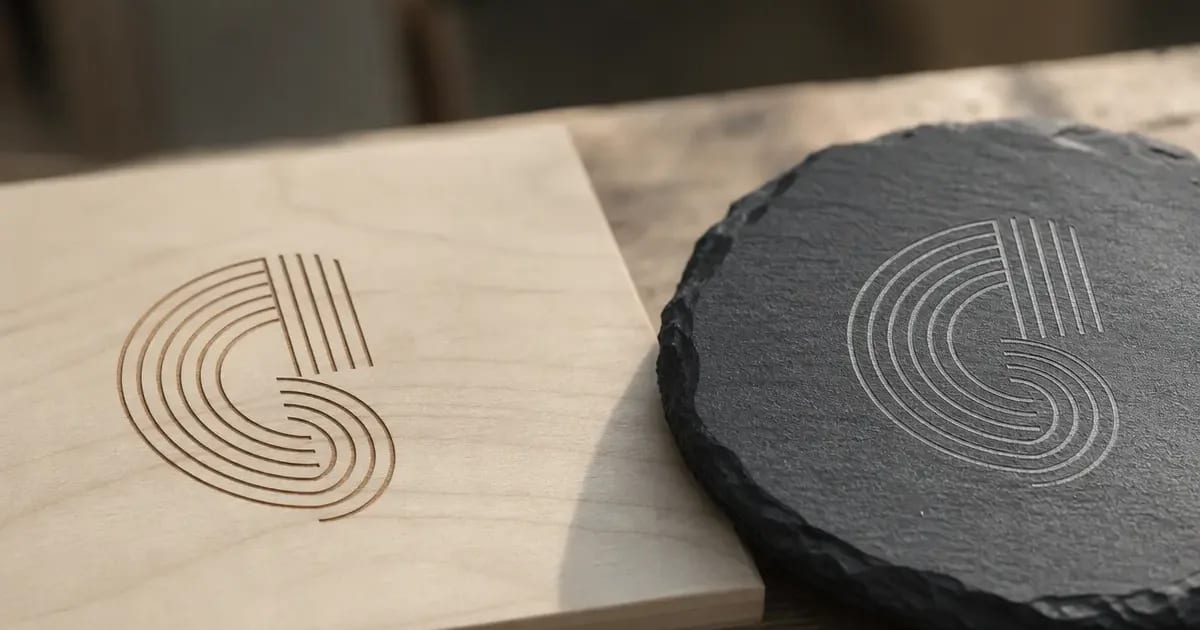
For laser engraving, send a vector file (SVG, PDF, AI or EPS) with any text converted to outlines. If you do not have one, a high-resolution PNG or JPG works, at about 300 ppi at the final size. And if all you have is a low-resolution logo, the workshop can redraw it as part of the quote.
Atelier Multidécor laser-engraves wood, slate, glass, leather and acrylic to order, in Saint-Siméon-de-Bonaventure on the Gaspé Peninsula. A good file prevents unpleasant surprises at the machine. This post covers what to send and what to avoid.
Vector file or image: what changes for laser engraving?
A vector file describes a shape with lines and curves, so you can enlarge it without losing sharpness. A raster image (PNG, JPG) is made of pixels, and it turns blurry when enlarged. The laser follows paths, so vector gives the cleanest edges. The formats to prefer:
- SVG: the open vector format, read by most drawing programs;
- PDF: fine if it was exported from a drawing program and holds paths, not just a flat picture;
- AI and EPS: Adobe Illustrator formats, common for logos;
- PNG or JPG: a last resort, at high resolution (see the next section).
Our laser engraving page shows what the workshop engraves. If you are unsure about the format, just send what you have, and the workshop looks at the file before quoting.
What resolution should a PNG or JPG have?
A common reference is 300 pixels per inch (ppi) at the final size of the engraving. The math is simple. A logo engraved 4 in (10 cm) wide needs about 1,200 pixels across. At 8 in (20 cm), it needs about 2,400. These are common reference numbers, not a workshop requirement. To keep the image usable:
- choose PNG over JPG, because JPG compresses the image and adds noise around the edges;
- keep a plain white or transparent background;
- avoid screenshots and images saved from a website or social network, which are small and already compressed;
- do not enlarge a small image in software, because that adds no detail.
The table below sums up what the workshop does with each kind of file.
| Your file | Expected result | What the workshop does |
|---|---|---|
| SVG, vector PDF, AI or EPS | Clean edges at any size | Checks the paths and prepares the file for the machine |
| High-resolution PNG (about 300 ppi at the final size) | Good, depending on how sharp the edges are | Checks the file before quoting |
| High-resolution JPG | Acceptable, but compression can dull the edges | Cleans up or redraws if needed |
| Screenshot or image saved from a website | Blurry when engraved | Offers to redraw the logo |
| Photo | Rendered in shades of grey, depending on contrast | Advises on the material and the contrast setting |
| Low-resolution logo | Not enough as it is | Can redraw it as part of the quote |
| Text in a special font | Font replaced if it is missing | Asks for outlines or the font file |
Whether it can be done, and the details, are confirmed with the workshop before quoting.
How do you prepare line weight, fonts and fine detail?
A file that looks sharp on screen does not always engrave sharp on wood. The grain, the material and the size of the piece limit the detail. A few simple rules:
- avoid hairline strokes: a line that thin vanishes on wood, which swallows fine detail;
- test at real scale: print the file at its final size, and if a line is barely visible at arm's length, it will barely show on the piece;
- leave enough space between two letters or two lines, or they merge when engraved;
- convert text to outlines (or curves) before sending, or a missing font will be swapped for another;
- attach the font file if you cannot convert the text.
Each material renders detail differently. Our guide to engraving materials and objects explains what engraving looks like on wood, slate, glass, leather and acrylic.
Can a photo be engraved, and how much contrast does it need?
Yes, a photo can be engraved, but the laser does not reproduce colour. It marks darker and lighter tones, so contrast is what counts. For a good result:
- pick a sharp photo with the subject clearly separated from the background;
- prefer a simple background, without detail that blends into the subject;
- convert it to greyscale and raise the contrast, without crushing the shadows;
- send the largest file you have, straight from the camera, not a copy that went through a messaging app that compresses it.
The result changes with the material: pale wood and dark wood do not contrast the same way. A very detailed photo also loses nuance when engraved, while a simple subject reads better. The workshop can advise you before the engraving starts.
What size of piece and placement should you plan for?
The workshop's 80 W CO2 laser engraves on a 36 x 18 in (915 x 458 mm) bed. To start the quote on solid ground, tell us:
- the final size of the engraving, in inches or millimetres;
- its placement on the piece: centred, in a corner, on top or on the side;
- the material and the shape of the piece;
- the quantity.
For a piece larger than that bed, talk to the workshop before you prepare the file. For a run of identical pieces, the same file serves every piece. Business runs follow the process described in our post on engraved corporate gifts.
What if all you have is a low-resolution logo?
It is a common case: the only logo available is a small image from a website, a business card or an invoice. Send it as it is. The workshop can redraw the logo as a vector file as part of the quote, working from what you provide.
- Send the sharpest version you have, even a small one.
- Add a photo of the sign or business card if it is sharper.
- Say which parts of the logo to engrave and which to leave blank.
- Confirm that you have the right to use the logo, if it belongs to another business.
We go over the text and the dimensions with you before the machine starts, because an engraving cannot be erased. For objects that carry your name, see also our custom wooden promotional items.
For the difference between a vector image, built from geometric shapes and scalable without loss, and a raster image, built from pixels, see the French Wikipedia article Image vectorielle, read in November 2026. The 300 ppi figure is common practice, not a rule from the article.
A logo to engrave?
Send us your file, the material you have in mind and the final size. In business since 1994, the workshop tells you plainly what can be made, and when. Phone: 418-534-4167.
Frequently asked questions
What file format should I send for laser engraving?
A vector file: SVG, PDF, AI or EPS, with the text converted to outlines. If you do not have one, a high-resolution PNG or JPG at about 300 ppi at the final size. The workshop looks at the file before quoting.
Is a JPG logo good enough for engraving?
Sometimes. If the JPG is large, sharp and on a plain background, it can work. Compression does dull the edges, though, so a PNG or a vector file gives a better result. If the JPG is small, the workshop can redraw the logo.
How do I convert text to outlines before sending?
In most vector drawing programs, the command sits in the Type or Object menu, under a name like outlines, paths or curves. If you cannot do it, attach the font file.
Can you engrave my logo if I only have a low-resolution image?
Yes, the workshop can redraw the logo as part of the quote. Send the sharpest image you have. You confirm that you have the right to use the logo.
What is the largest size a laser engraving can be?
The workshop's 80 W CO2 laser engraves on a 36 x 18 in (915 x 458 mm) bed. For a larger piece, talk to the workshop before you prepare your file.